
Online calorie counter
Log Meals and Track Macros from Your Browser
An online calorie counter lets you log meals and see your calories and macros from any modern browser, with nothing to install. AI Calorie's web app uses the same account as the Android app and is free to start, with daily limits on the AI photo and text tools.
Open the web app → Get it on Google Play Free plan with daily limits · Same account on web and Android · Every number is labelled as an estimate
What is an online calorie counter?
An online calorie counter is a calorie tracker you use in a web browser instead of installing an app. You log what you eat, it adds up calories, protein, carbs and fat, and compares the total with your daily goal. It suits a laptop or desktop, where typing and uploading photos are easy.
Set a target first with the calorie calculator.
How do I use AI Calorie in my browser?
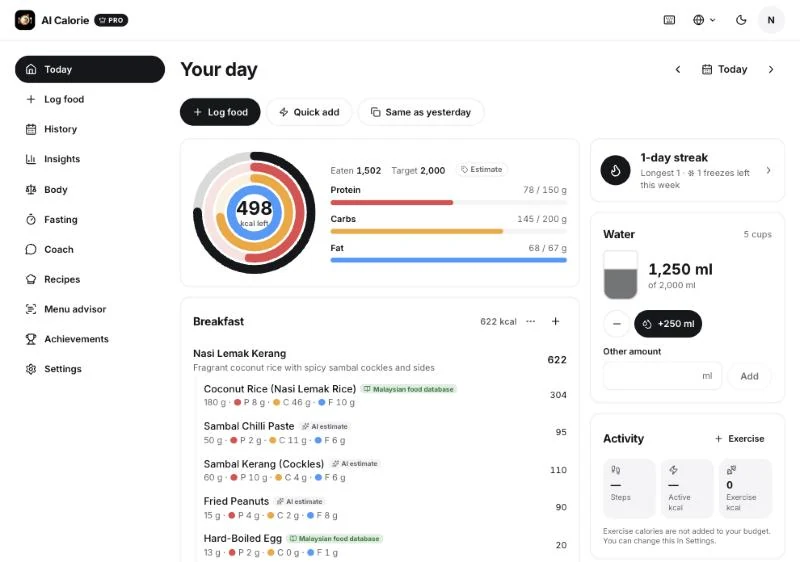
Open the web app, sign in with your email or Google account, and log a meal. You can search for a food, describe the meal in words, or upload a photo, then check the foods and portions and save. Your daily totals update straight away against your goal.
- Open the web app and sign in.
- Log a meal by search, description or photo.
- Check your calories and macros for the day.
Is the online calorie counter free?
Yes, you can start free. The free plan includes 1 AI photo scan, 5 AI text logs and 2 insights per day, and you can stay on it as long as you like. Pro is an optional subscription that raises those daily limits, and some extras need it. Prices are set in the app stores.
Free plan, Pro and daily limits
Does the web app sync with the Android app?
Yes. The web app and the Android app use the same AI Calorie account, so a meal you log in the browser appears in the app and the other way round. Sign in with the same email or Google account on both. The iPhone app is coming soon, and you can join the waitlist.
What can I log in the web app?
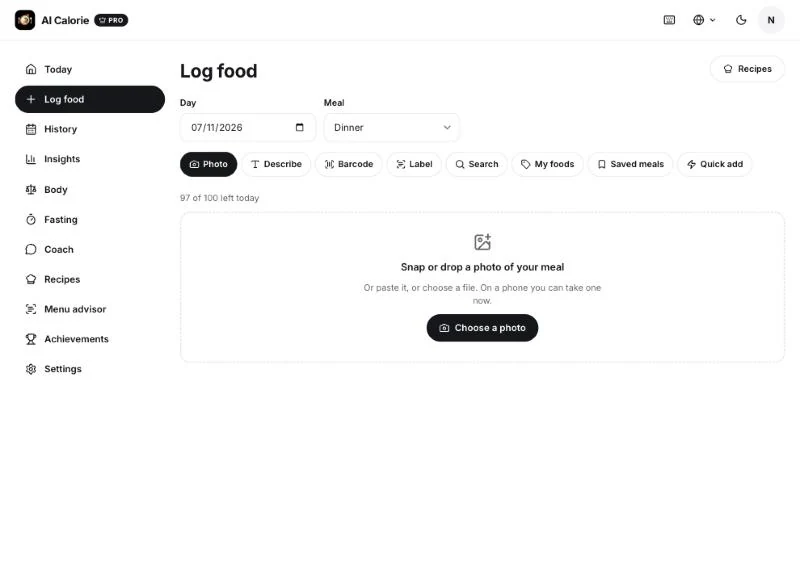
You can log by photo, by describing a meal, by searching foods, by barcode or nutrition label, and by quick-adding calories. You can also reuse custom foods and saved meals. Each entry shows calories, protein, carbs and fat, and you can edit the portion before saving.
How accurate is an online calorie counter?
No calorie counter is exact. Portion size, hidden oil or sugar and mixed dishes can affect totals, while photo or text results are estimates. Review entries when you use an app and compare patterns over time rather than relying on one day's number.
How accurate is AI calorie counting?
What is in the web app
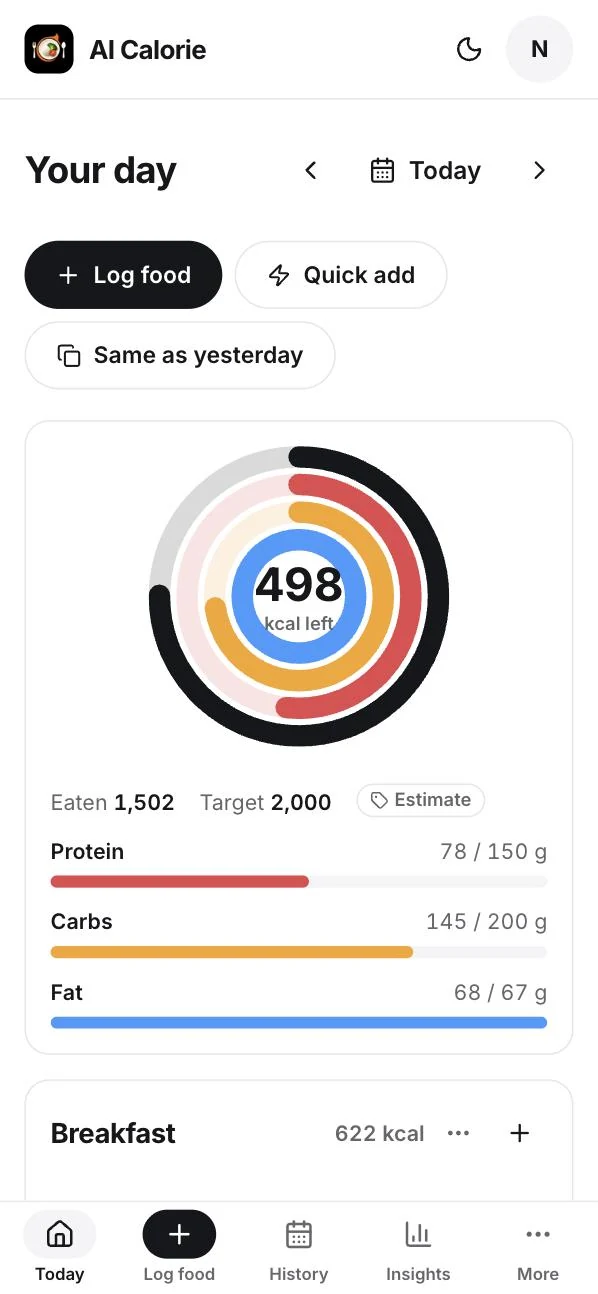
- Today: calories left, protein, carbs and fat against your goal, plus water and your logging streak.
- Log food: photo, describe, barcode, label, search, custom foods, saved meals and quick add.
- History and Insights: look back over past days and see your trends.
- Body: track your weight and measurements.
- Also included: a fasting timer, a coach, recipes, a menu advisor and achievements. Some of these need Pro.
Web app or Android app?
- Web app: best at a desk. Nothing to install, and it works on Windows, Mac and Linux.
- Android app: best when you are out and about, because the camera is always in your pocket.
- Both: one account, so you can switch whenever you like.
What the web app does not do
- It does not give medical advice, and it is not a diagnosis or treatment tool.
- It does not guarantee exact calories. The numbers are estimates for you to review.
- It has no Sign in with Apple yet, so use email or Google. There is no iPhone app yet either.
Related: calorie counter app · AI calorie counter · photo calorie counter · calculators

AI Calorie gives general nutrition information and AI-generated estimates. It is not medical advice. See medical review and our Terms of Use.